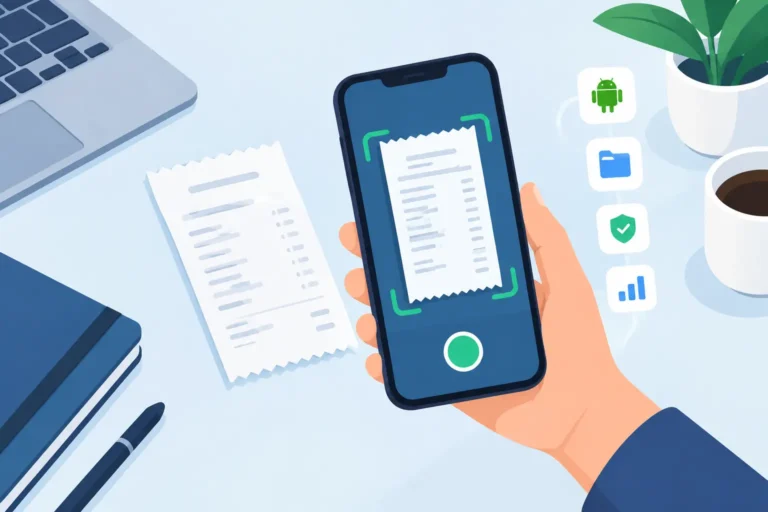
A receipt in a glove box, a faded pharmacy slip, and a photo buried in a camera roll all create the same problem: you may have proof of a purchase, but not a usable record. An Android Receipt Scanning App turns those loose pieces of paper and image files into searchable, reviewable records you can retrieve when an office, accountant, warranty claim, or reimbursement request calls for them.
For contractors, drivers, sales professionals, and household record-keepers, the useful question is not simply whether an app can take a picture of a receipt. It is whether it helps you capture the receipt while it is readable, confirm the details, organize it in a sensible place, and produce the format someone actually needs.
Capture receipts before the details disappear
Thermal-paper receipts can fade quickly. Paper can tear, get wet, or vanish under a stack of mail. Capture a clear image as soon as practical, then keep the original paper if your own record-keeping process requires it.
A practical receipt workflow should accept both new camera scans and existing files. That matters when a merchant emails an image, when you download a digital receipt, or when you need to add a document that was captured earlier. Scan Pro Receipts supports camera scanning and file import, so your records do not have to begin and end with the phone camera.
On-device OCR can read common receipt details and save time entering fields. Still, OCR is a starting point, not a substitute for review. Store names, dates, totals, taxes, and currencies can be misread when print is faint, creased, or unusually formatted. Checking and correcting the record while the receipt is in front of you is usually faster than trying to decipher it months later.
Organize records around how you retrieve them
A camera roll is fine for a quick snapshot. It becomes much less useful when you need every fuel receipt from a quarter, medical purchases from last year, or the proof of purchase for a warranty claim. Receipt records need structure.
Fiscal periods provide a practical home for business and personal records that are reviewed on a schedule. Categories add another layer, making it easier to separate vehicle costs, meals, utilities, office supplies, medical expenses, or household purchases. The right setup depends on how you later ask for information. A driver may care most about fuel and vehicle maintenance, while a household may want utility, dental, and appliance records easy to find.
For example, if an office asks for a mileage-related expense submission covering April through June, select that date range and the relevant categories, review the matching receipts, and remove anything that does not belong. Category Expense Reports are designed for this focused retrieval task, including a visible total before you export.
Build a report that fits the request
Different recipients need different output. A bookkeeper may prefer a CSV file for sorting and reconciliation. An employer may request a PDF expense report. A warranty provider or personal records file may benefit from an image-inclusive report that keeps the receipt copy alongside its recorded details.
A useful Android receipt scanning app should let you choose the structure rather than force every request into the same template. With Scan Pro Receipts, you can configure included fields, file names, report layout, and sharing preferences for recurring work. That gives you a repeatable process without making every report identical.
When you need more room to review, edit, filter, total, export, or print records, use the free Scan Pro Desktop Companion for Windows. Import your phone archive and work on a full-size screen before handing a report to an accountant, submitting an expense claim, or filing personal documentation. The phone remains useful for capture in the field; the desktop companion gives you another practical option for report preparation.
Keep control of where receipt records live
Cloud storage can be convenient, but it is not the only workable approach. Some people prefer a local-first workflow because they want receipt data stored on their device, available during travel or poor connectivity, and backed up to a location they choose.
Scan Pro Receipts processes receipt records on the device and supports user-controlled backups. This approach is especially useful when you want to keep working offline or avoid placing routine receipt records into a subscription cloud platform. It also means backup is a responsibility worth taking seriously: choose a backup location you can access later and update it regularly.
The trade-off is straightforward. A local workflow gives you more control, but it works best when you build a simple habit around backups and periodic review. A few minutes at the end of each week can prevent a much larger cleanup job at the end of a fiscal period.
Make receipt capture a routine, not a rescue mission
The strongest receipt system is the one you can maintain after a long workday. Capture the receipt, check the key fields, assign a category and fiscal period, then back up your records on a schedule. When a request arrives, you are retrieving and reviewing instead of rebuilding history from paper piles.
Download Scan Pro Receipts on Google Play, use the two-month free trial, and test the workflow with the next set of receipts you need to keep. A clear record captured now is far more useful than a faded receipt you cannot find later.
Try Scan Pro Receipts on Google Play
- Free Trial: Get full access with a 2-month free trial via Google Play.
- No Subscriptions: Keep your data private for a one-time lifetime payment of $29.99.
- Explore Features: View the full list of Reporting & Export Features.
- Tax Preparation: See how to organize your Receipt Records for Tax Time.