Features Overview
Scan Pro Receipts combines OCR, review controls, and export automation into one focused expense workflow.
Scanning and data capture
- Camera capture with receipt-focused workflow.
- Import from gallery or files.
- OCR-assisted extraction of vendor, date, totals, subtotal, tax, tip/fee, shipping, and payment hints.
- Visual confidence cues to speed up review.
Review and correction
- Low-confidence values are highlighted for attention.
- Manual edits lock fields to prevent unwanted overwrite.
- Related calculations can rebalance after targeted corrections.
- Temporary country/region/currency overrides support foreign receipt handling.
Organization and categories
- Fiscal period-based organization with dynamic date ranges.
- Personal/Reimbursable separation for cleaner reporting.
- Saved payment methods to improve card matching and reconciliation.
Automation-friendly sharing
- Default recipients, subject templates, and favorite share app support.
- Resend options for all receipts vs only new receipts.
- Export naming controls with custom filename components.
Feature screenshots

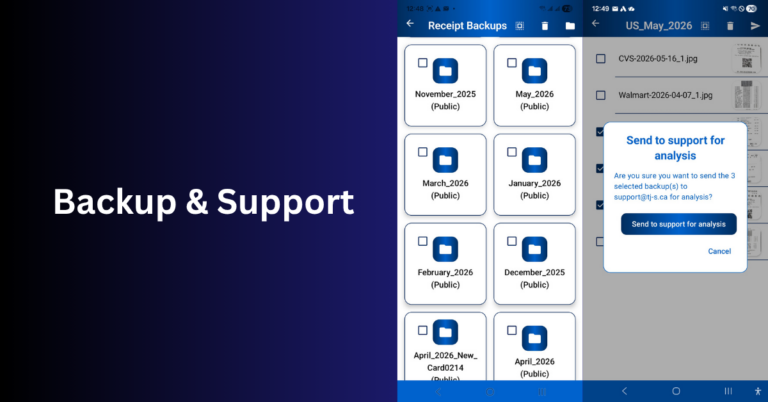
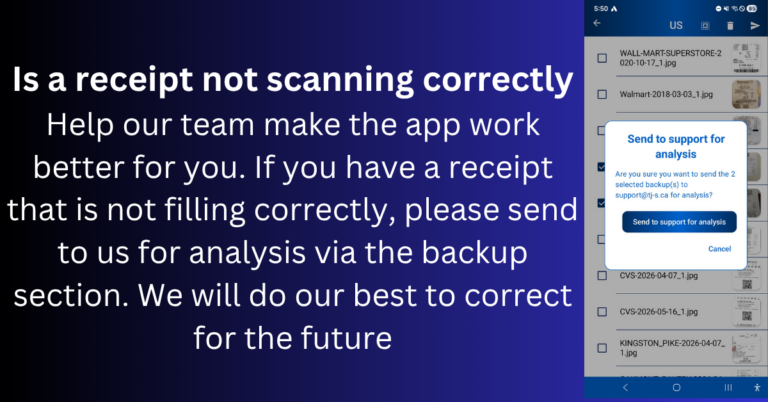
Product overviews on tj-s.ca
Focused pages for common Scan Pro Receipts workflows:
- Lifetime receipt app — one-time purchase vs monthly subscription software
- Offline scanner & reports — on-device OCR, fiscal periods, PDF/CSV/ZIP exports
- Territory sales expenses — field sales, corporate vs reimbursement reporting