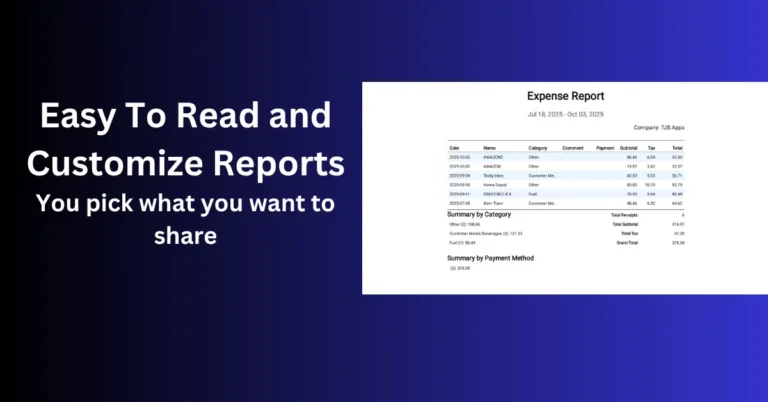
Reports accounting can open—not just camera photos.
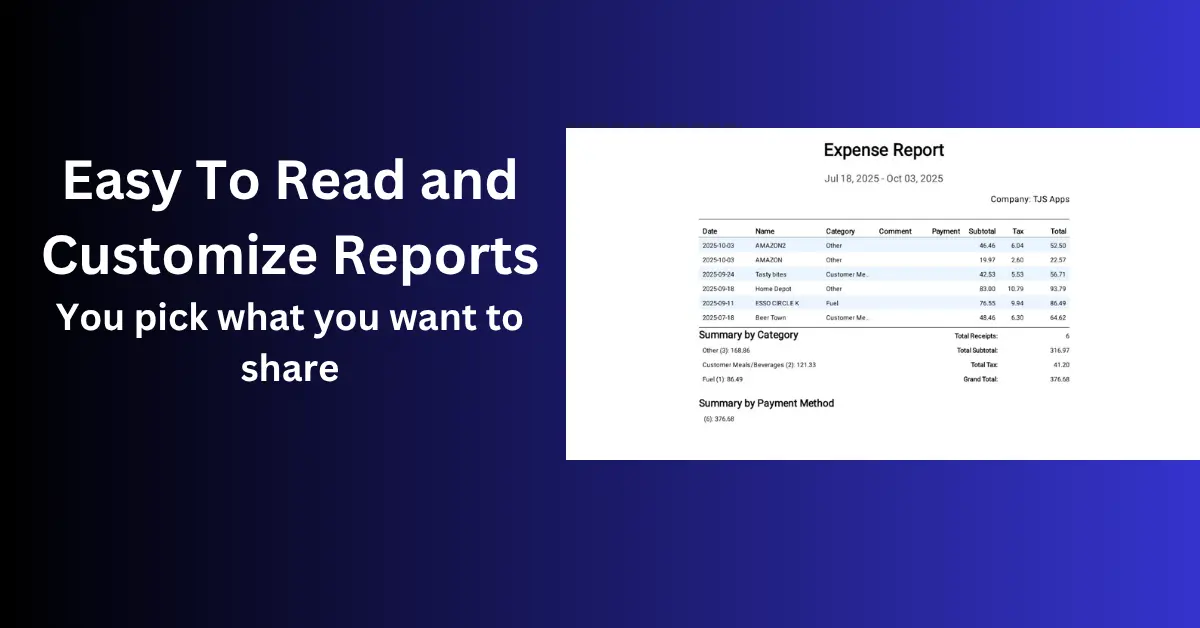
A receipt scanner that only dumps photos to your gallery is not a system. What matters is whether you can turn slips into a PDF summary, a CSV spreadsheet, and archived images before the paper fades.
This guide covers offline-capable apps built for reporting—and where Scan Pro Receipts fits on Android.
Why offline matters
Cloud apps assume upload-first. Offline scanning means OCR on the device, local storage, and export when you choose—no queue, no monthly archive fee.
Reporting checklist
Fiscal periods
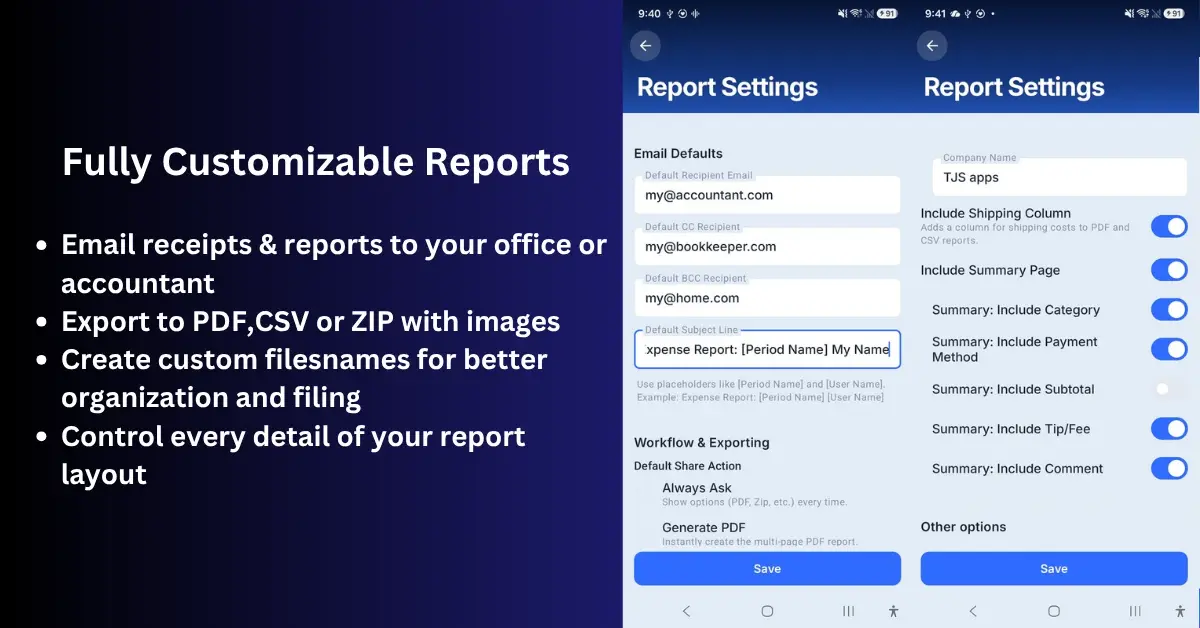
Share one period at a time—not your entire history in one email.
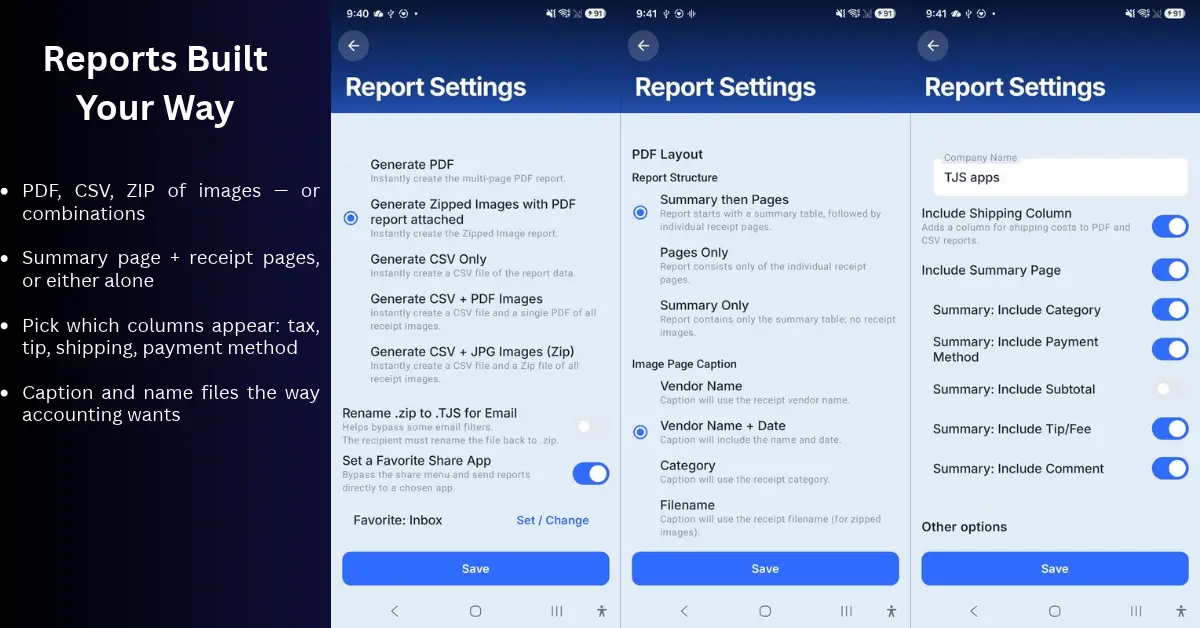
PDF summary
List every receipt with vendor, date, tax, totals, and comments before anyone opens images.
CSV for Excel / accounting
One row per receipt; finance maps columns on import.
ZIP of cropped images
Custom filenames (e.g. card last four + date) so finance is not renaming files by hand.
Archiving before receipts fade
Thermal paper disappears. Scanning today is insurance—a legible copy on your phone and in backup folders you control.
Scan Pro Receipts — honest fit
| Need | Scan Pro |
|---|---|
| Offline OCR | Yes |
| PDF / CSV / ZIP | Yes |
| Fiscal periods | Yes |
| One-time price | 60-day trial · $29.99 lifetime |
| Live QuickBooks sync | No — export files |
Choose a cloud subscription if you need automatic QuickBooks publish or team inboxes. Choose Scan Pro if you need record, organize, export, share—without fuss.
Capture once. Build the report. Send what the office needs.
Related: Territory sales story · Lifetime vs subscription
Try Scan Pro Receipts on Google Play
- Free Trial: Get full access with a 2-month free trial via Google Play.
- No Subscriptions: Keep your data private for a one-time lifetime payment of $29.99.
- Explore Features: View the full list of Reporting & Export Features.
- Tax Preparation: See how to organize your Receipt Records for Tax Time.